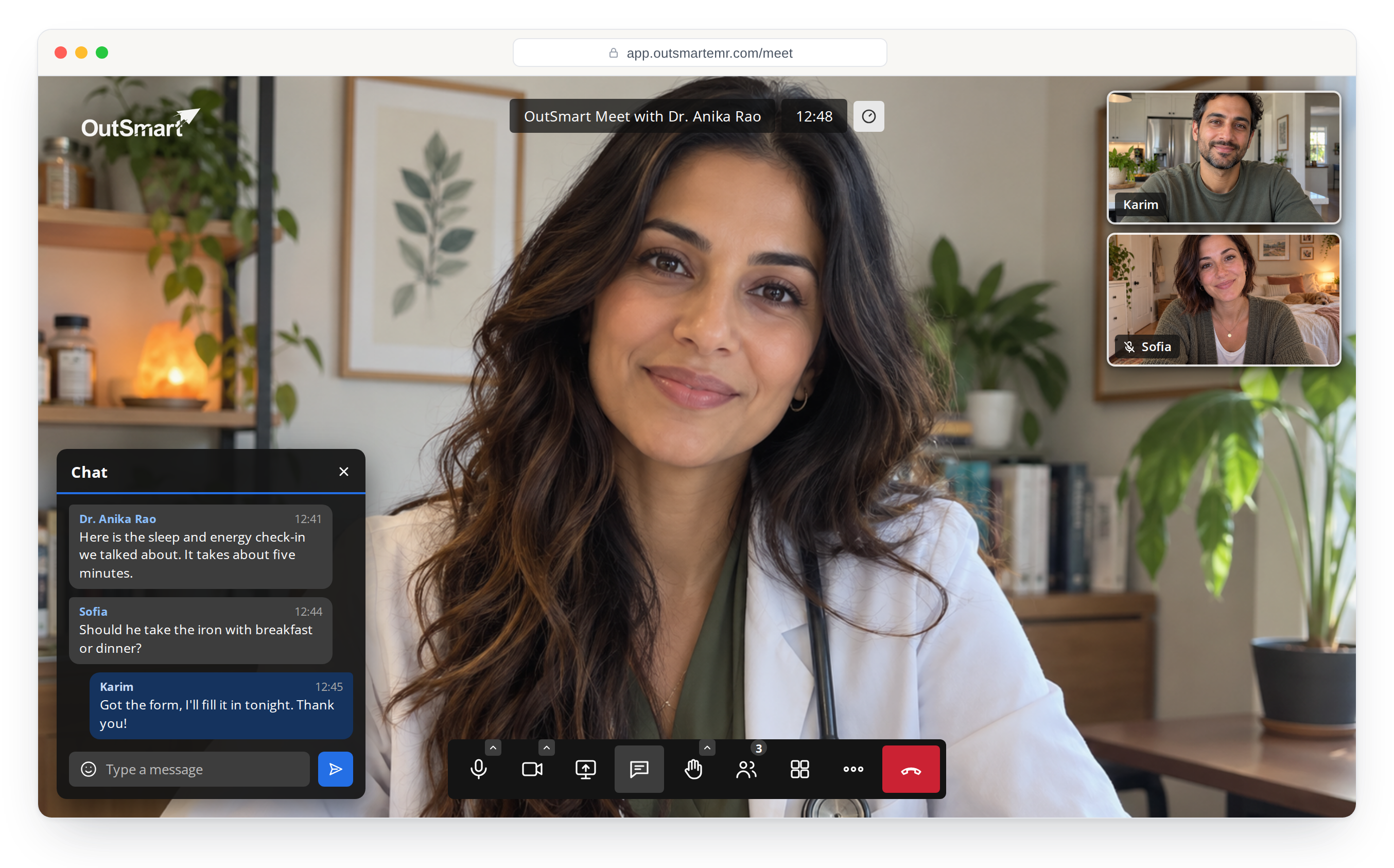
OutSmart Meet puts the video call in the same system as your booking, forms and chart.
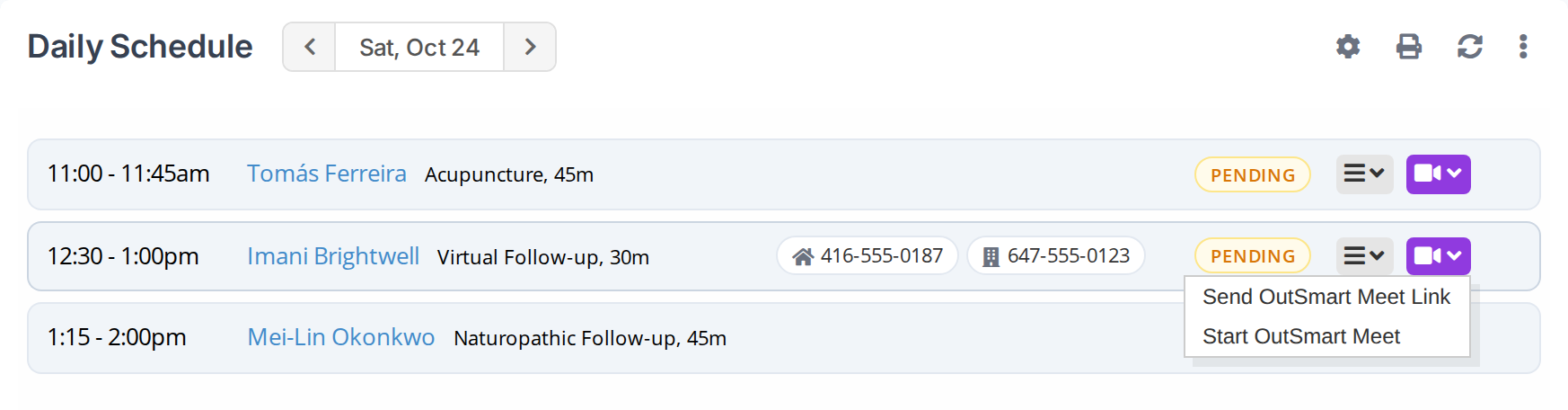
Video visits sit in your daily schedule like every other appointment. Open the camera menu on the row and start the call. It opens in its own window, so the chart stays open beside it and you can write as you talk.
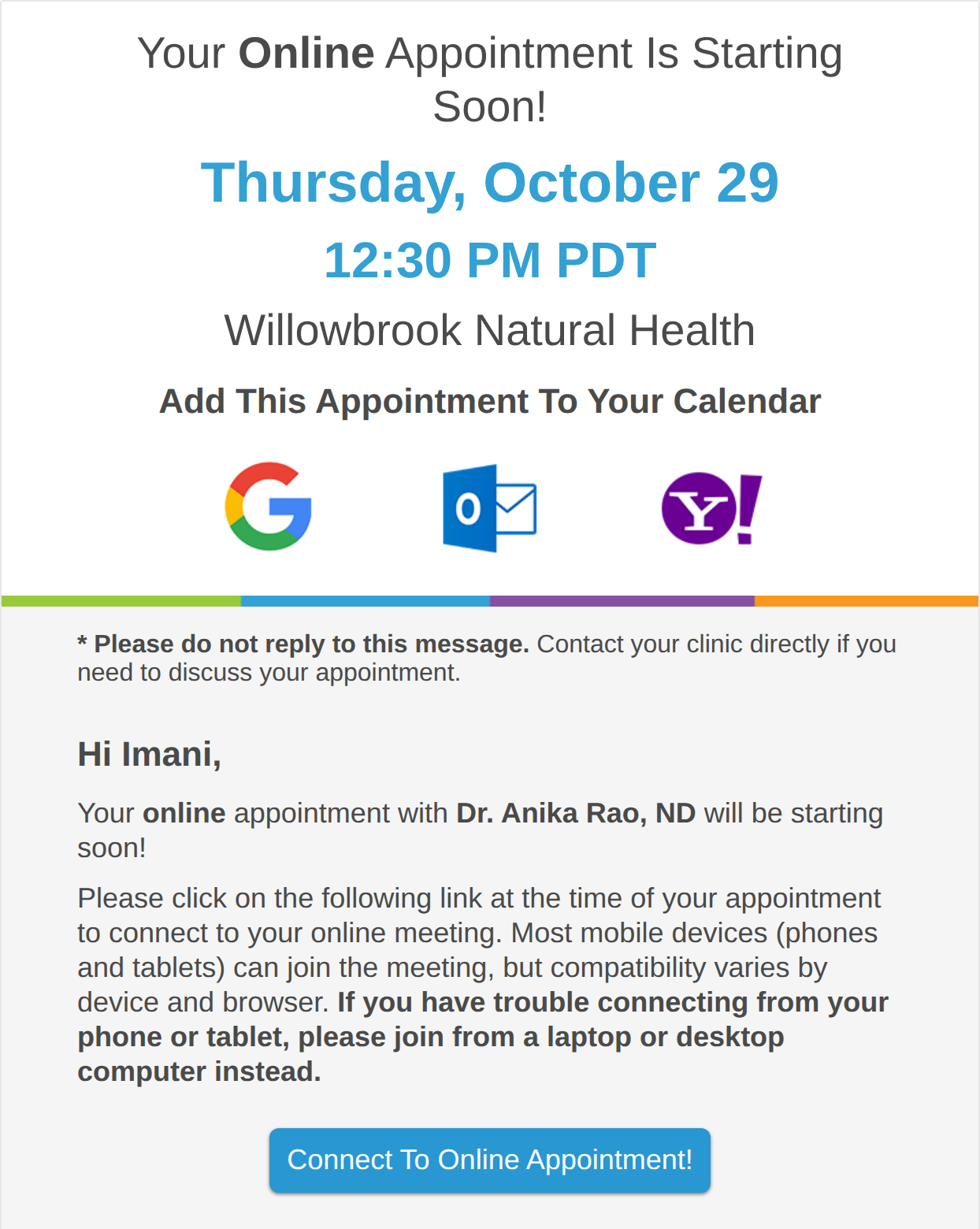
Patients do not create an account or remember a password to see you. The reminder for a video visit tells them it is online and gives them a button to join, and the invitation adds the visit to their calendar in one click.
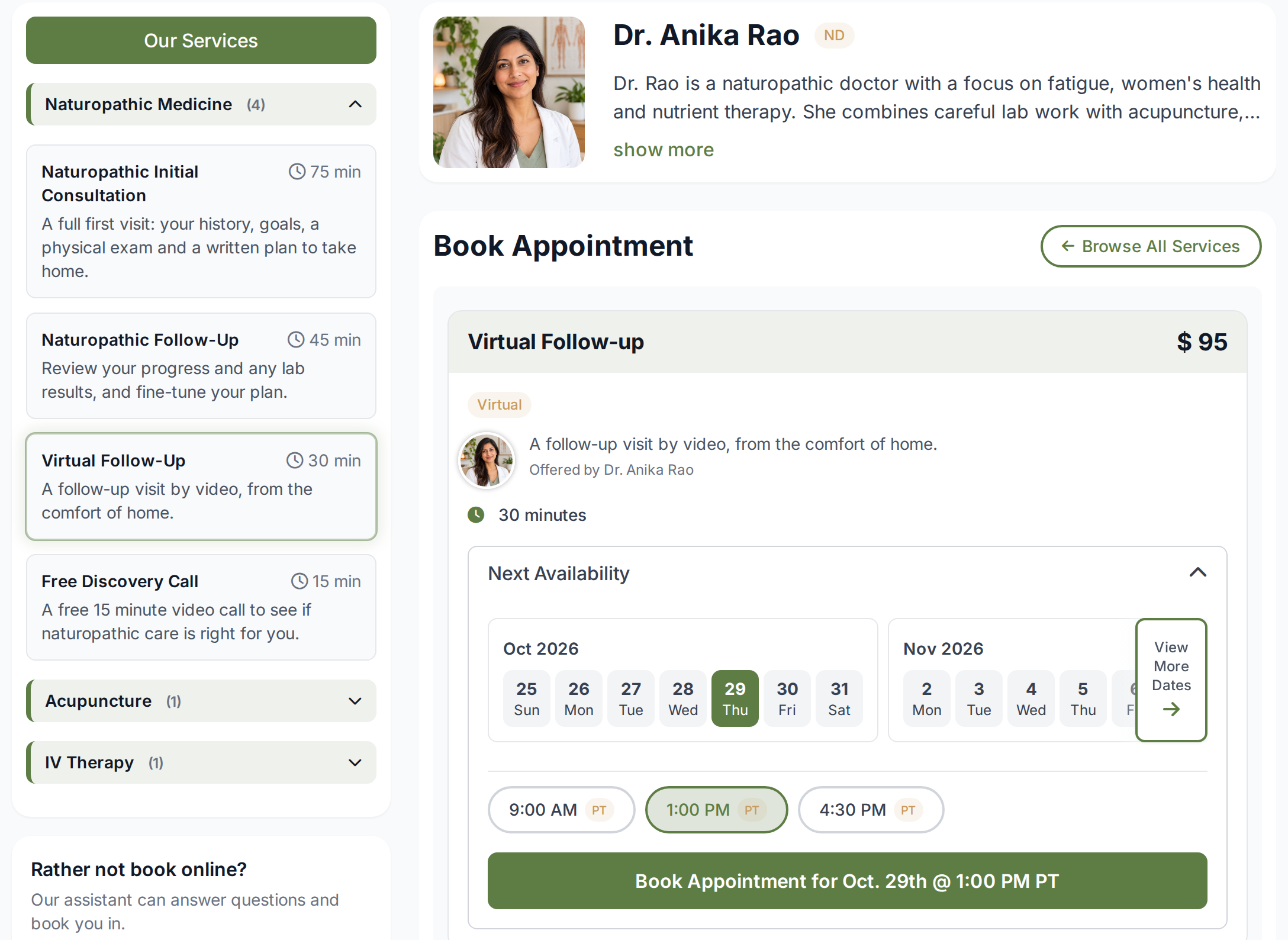
Any service can be a video visit. Tag it as virtual on your booking page so patients know before they book, and if your clinic has no front door, say so: show a Virtual Clinic label instead of a street address.
The practitioner gets a full set of tools. The patient gets a screen with nothing on it they have to learn.
Walk a patient through their lab results or their treatment plan on your screen while you talk.
Keep the room behind you private and the sound of the clinic out of the call.
When you have the patient's consent, record the session to your own computer. Patients cannot record.
Patients see a microphone, a camera and a hang up button. No settings to wander into and no moderator controls.
A laptop with a camera, or a desk computer with a webcam, is all you need. Nothing to install at the clinic.
A parent, a partner, an interpreter or a caregiver can join the same visit. Copy the call's link and they join from wherever they are.
A video call is one part of a virtual visit. The parts before and after the call are online too.
Patients pick a virtual service on your booking page, pay if you ask them to, and get their reminder with the join link.
Intake and check in forms go out as a link with no account, so the answers are in the chart before the call starts.
Finish the note and the treatment plan appears in the patient portal on its own, with nothing to email.
Book a demo and we will walk you through the parts that matter most to you.