Online booking

A booking page in your clinic's style.

For many patients, your booking page is the first thing they see. OutSmart lets you make it look like your clinic.

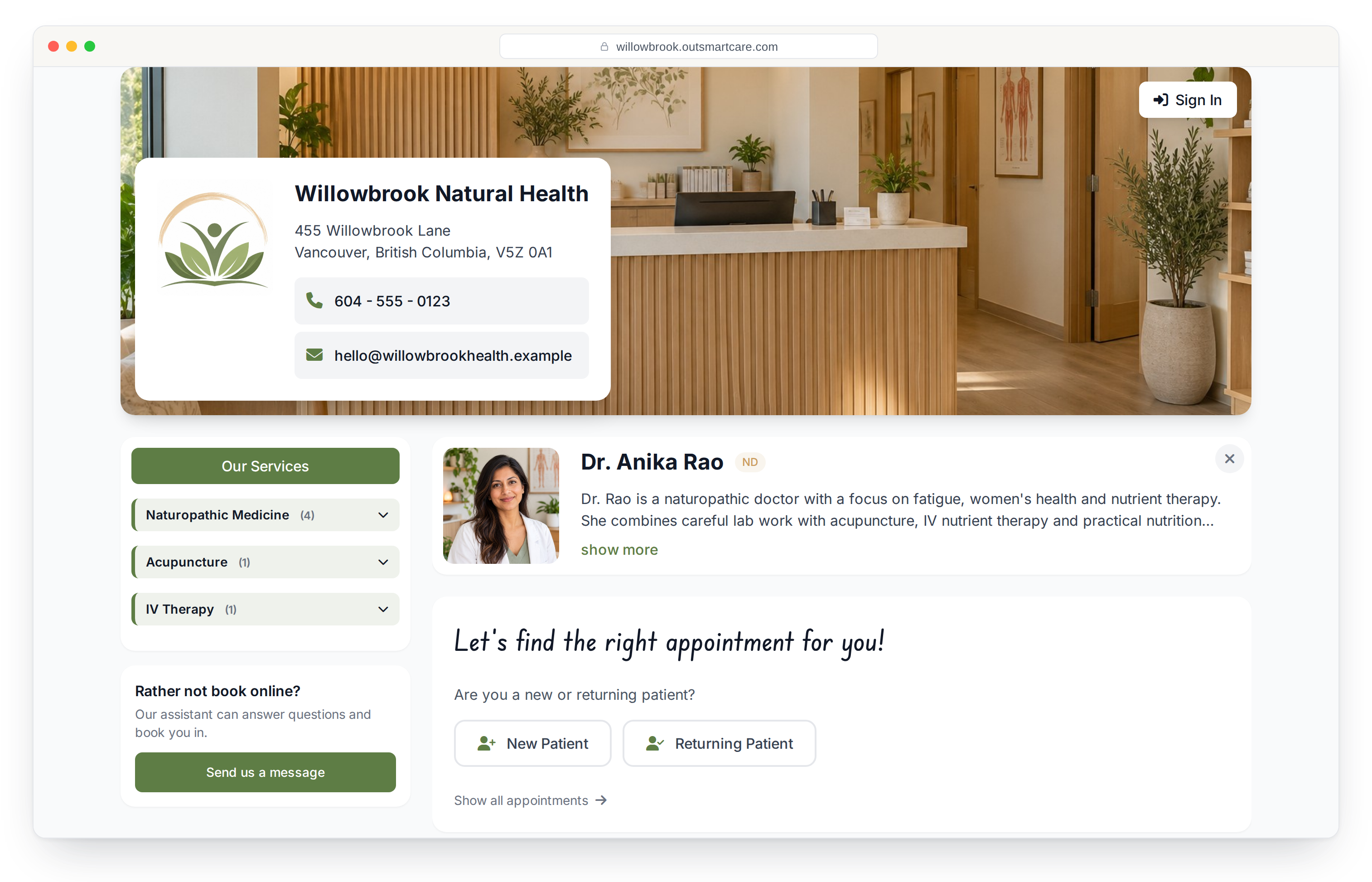
A clinic's OutSmart booking page: cover photo, logo and contact card, services grouped by category, the practitioner and the new or returning patient choice
Your brand

It looks like your clinic, not like ours.

Your logo, your photos, your colours and your own web address. Patients arrive somewhere that feels like the place they are about to visit.
  • Your own booking web address, not a link with our name in it
  • Hero image, logo, and your clinic details laid out properly
  • Your team with photos, credentials and bios
  • Every location with its own contact details
  • Links out to your social accounts
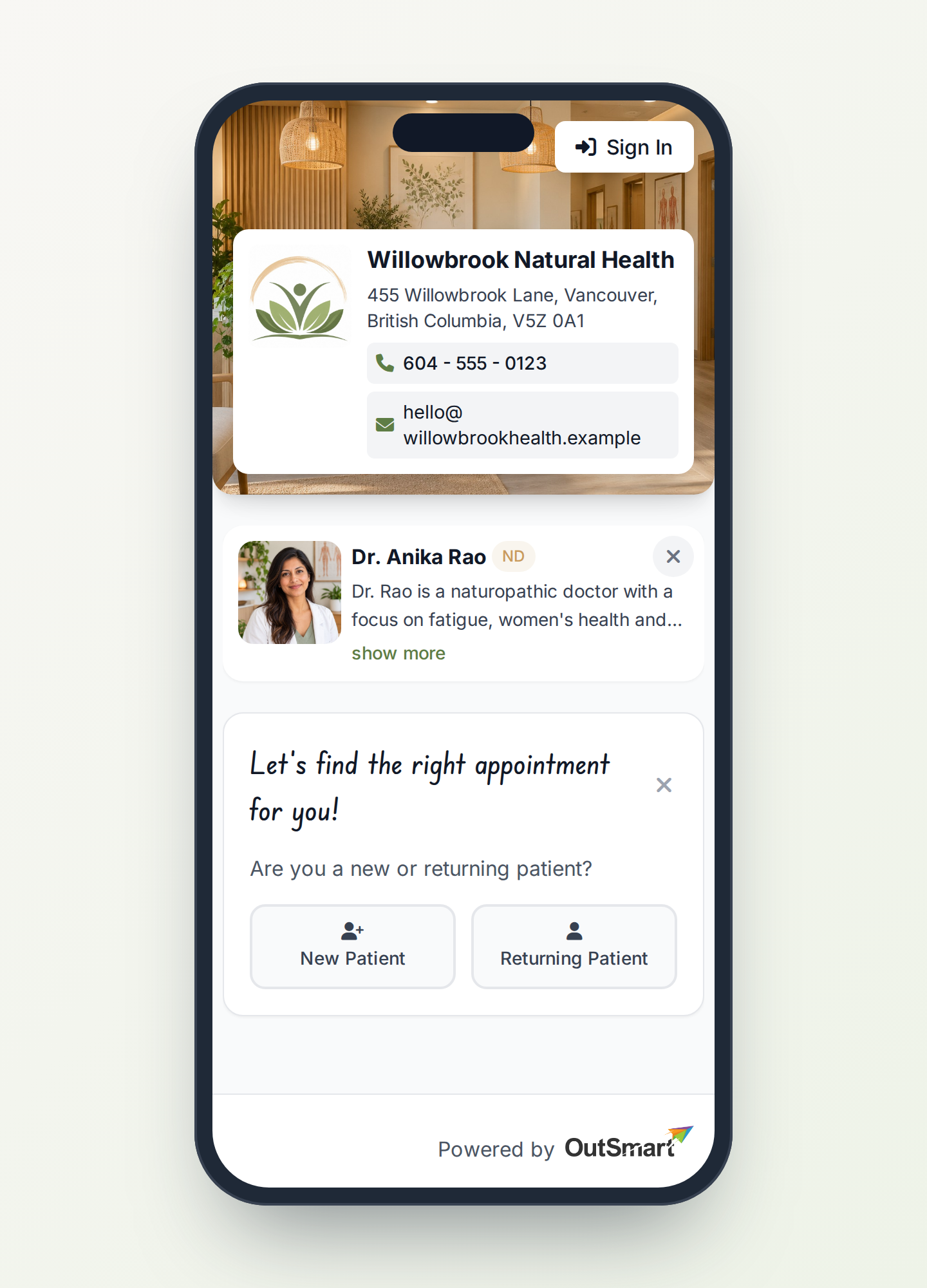
  • Works well on a phone
See yours in a demo
The same booking page on a phone, with the clinic card, practitioner and appointment choice stacked
Your services

Organised the way you talk about them.

Group your services into your own categories, order them the way you want them read, and write the descriptions in your own words.
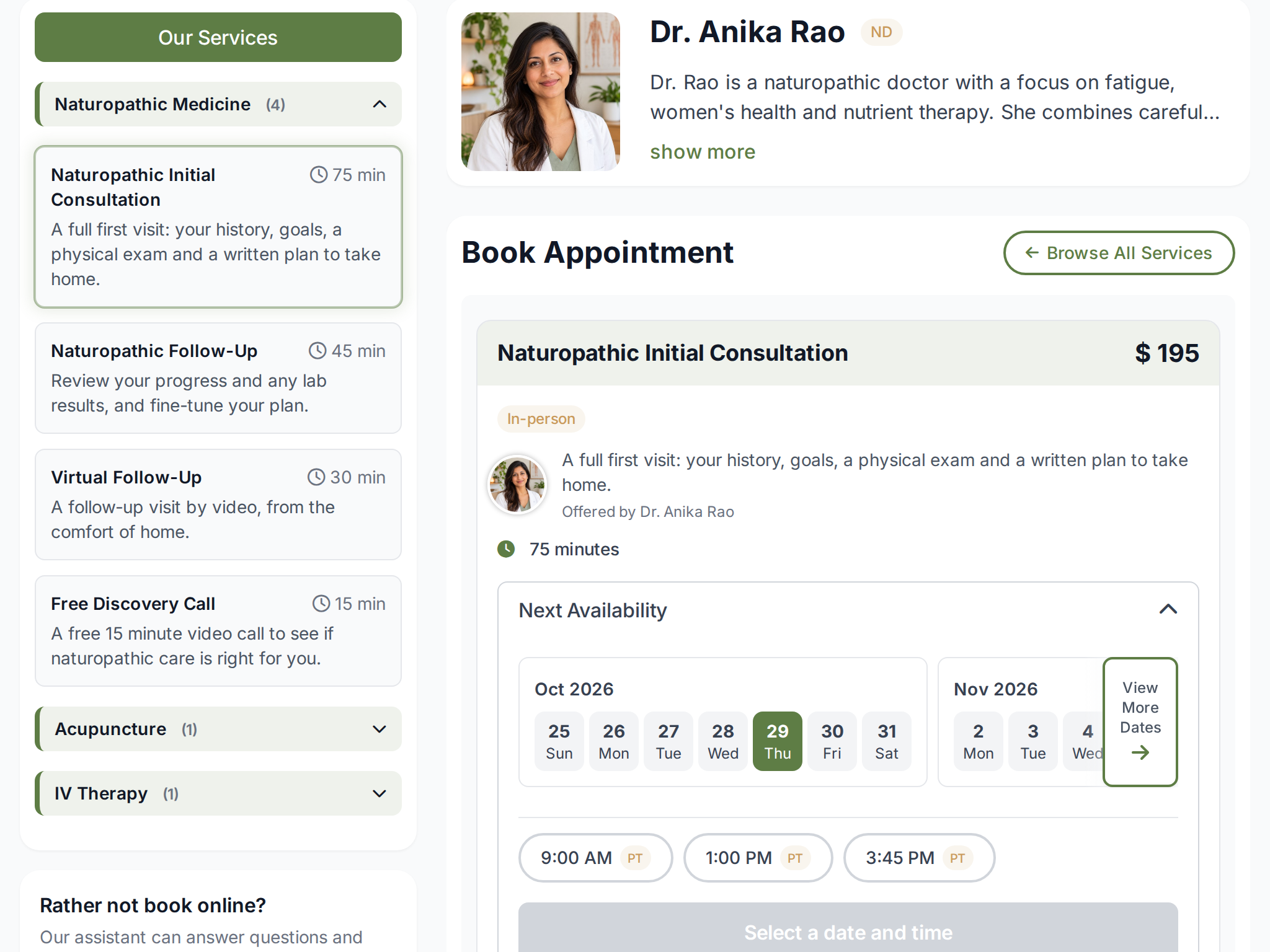
  • Create your own categories and drag services into them
  • Order categories and services exactly as you want them seen
  • Rewrite any service description for the booking page without touching your schedule
  • Show or hide individual services, practitioners or locations
  • Different setups for the clinic page and for an individual practitioner
Book a demo
A clinic booking page with services grouped into Naturopathic Medicine, Acupuncture and IV Therapy, the practitioner and open times
Marketing

Find out which ads actually turn into appointments.

Connect your booking page to your advertising accounts and see which ads lead to booked appointments.
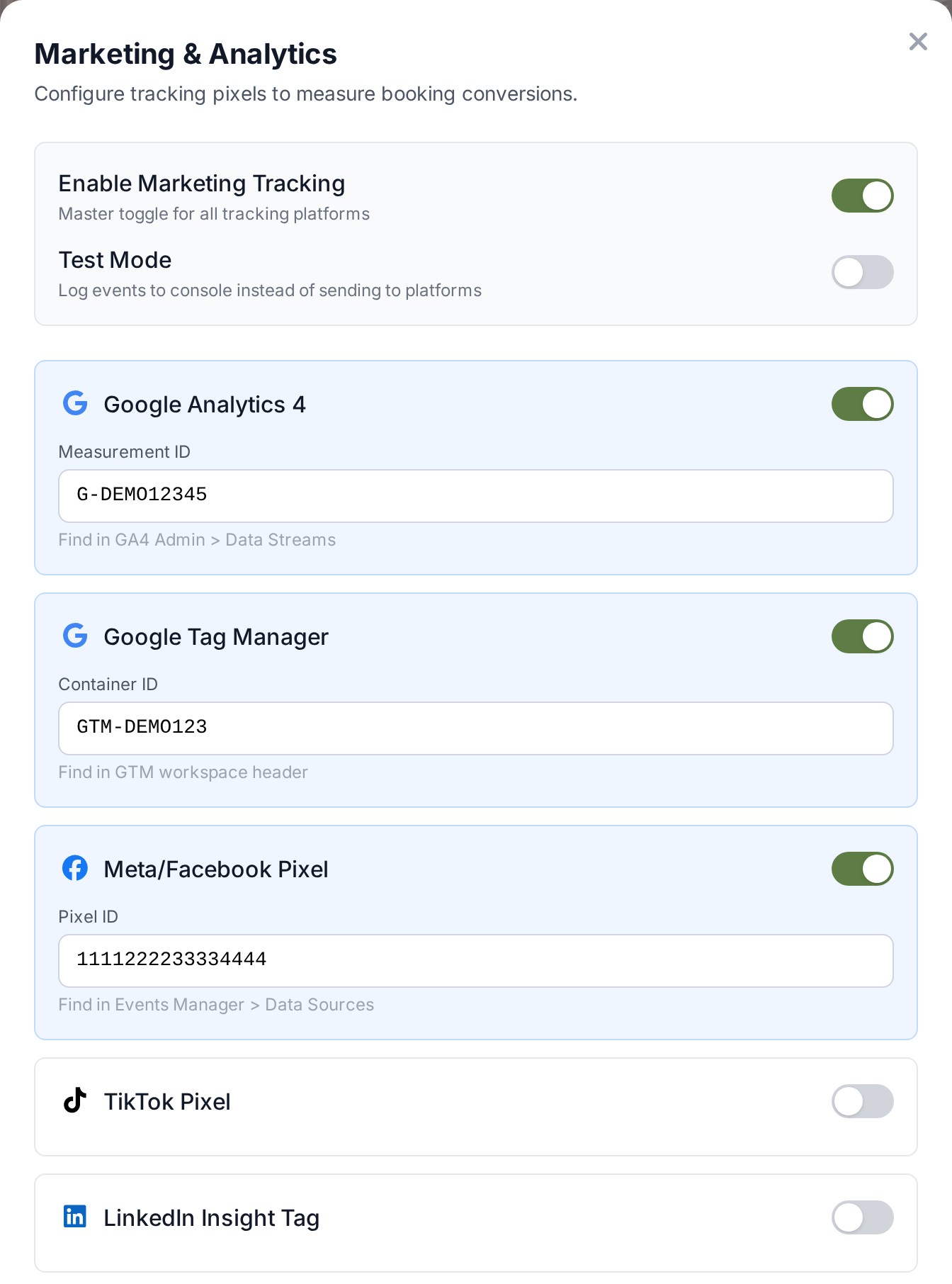
  • Google Analytics, Google Tag Manager, Meta, TikTok, LinkedIn, Pinterest, X, Snapchat and Microsoft
  • The full funnel tracked, from landing on the page to viewing a service to starting a booking
  • Payment steps and new account creation tracked as conversion events
  • Set a conversion value per service, so a first consultation is not counted the same as a follow up
  • A test mode that logs events to the console so you can check it before it goes live
Book a demo
The booking page's Marketing and Analytics settings with Google Analytics, Google Tag Manager and Meta Pixel switched on

The rest of what it does

All of it configurable from the booking page itself, by you, without asking us.

Questions at booking

Ask up to five questions before an appointment is confirmed, so the practitioner has the answers before the visit and the answers arrive with the booking.

Deposits and payments

Take a deposit, take payment in full, or simply keep a card on file. Pick whichever fits the service and the no show risk.

Waitlist

When you are full, patients join a waitlist instead of leaving. When something opens up, the match is made for you.

Newsletter opt in

Let patients subscribe while they book, with your own wording, instead of running a separate sign up somewhere else.

Your own vocabulary

Patient, client, guest or member. The whole page uses the word your practice uses, because not every clinic is a medical clinic.

Booking rules

Cancellation policies, limits on how many appointments someone can book in a period, and control over who can book what.

Room and resource aware

Availability accounts for the rooms and resources a service actually needs, so a booking that cannot physically happen is never offered.

Prefilled links

Send a link that opens on a specific service or time, so an email or an ad drops someone exactly where you meant.

Booking managers

Let a colleague or an admin manage a practitioner's booking page without handing over their whole account.

Scheduling

Every booking lands in the front desk's calendar.

See the calendar your team works from: practitioners and rooms side by side, Find Availability, the waitlist and reminders.

See how scheduling works

See how OutSmart would work in your clinic.

Book a demo and we will walk you through the parts that matter most to you.