Intake forms

Intake forms without an account.

Patients fill in forms without creating an account or remembering a password.

No account

Send a link. That is the whole process.

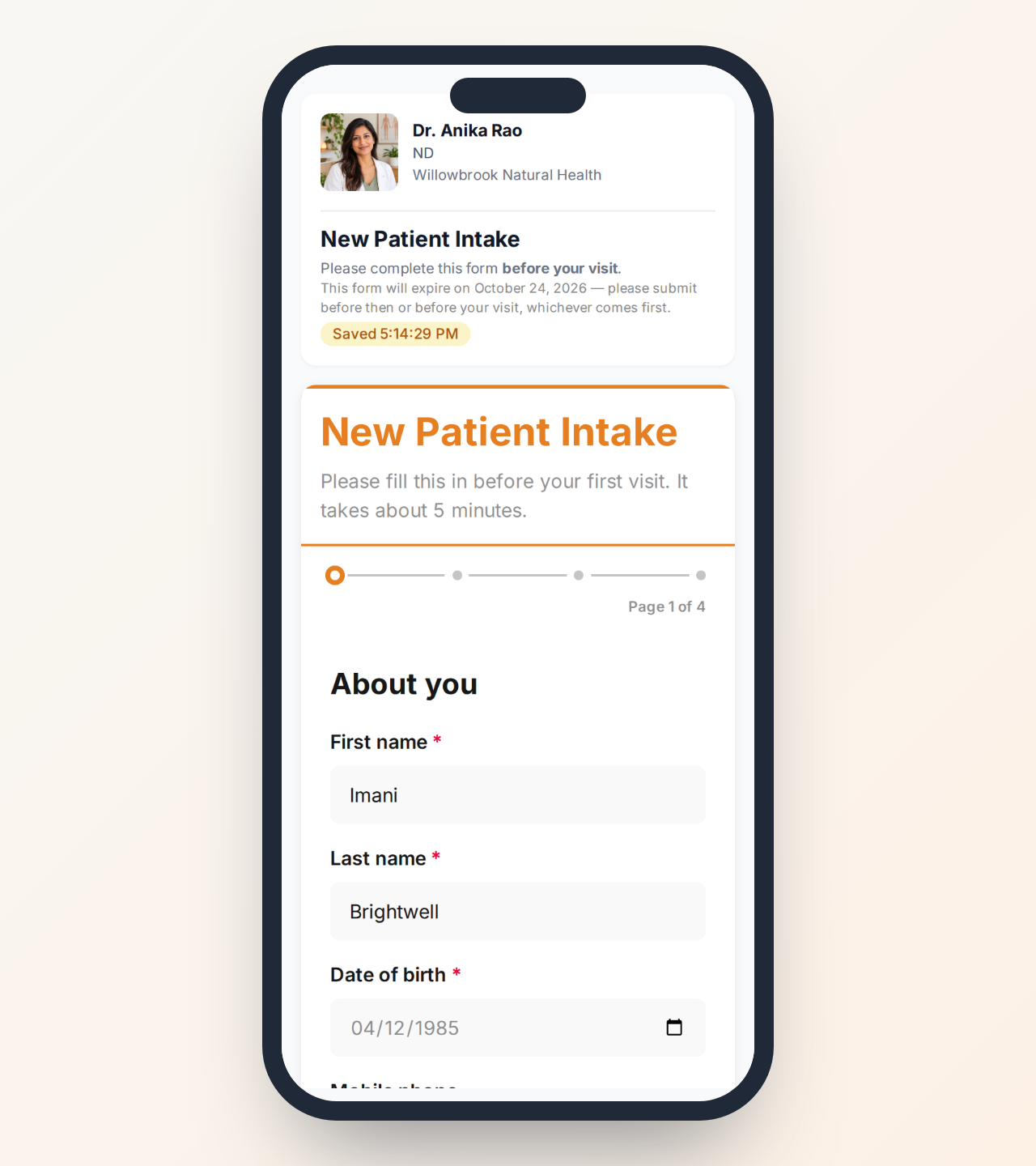
Your patient opens the form and fills it in. There is no portal to join and no password to set, and nothing for your front desk to talk anyone through.

  • Email or text a link and they fill it in on their own phone
  • Hold up a QR code and they fill it in on their own phone in the waiting room
  • Or hand them a clinic tablet at reception and take it back when they are done
  • Answers go into the chart as data you can report on
See it in a demo
An intake form open on a phone, no account or sign-in needed
AI form creator

Describe the form. We build it.

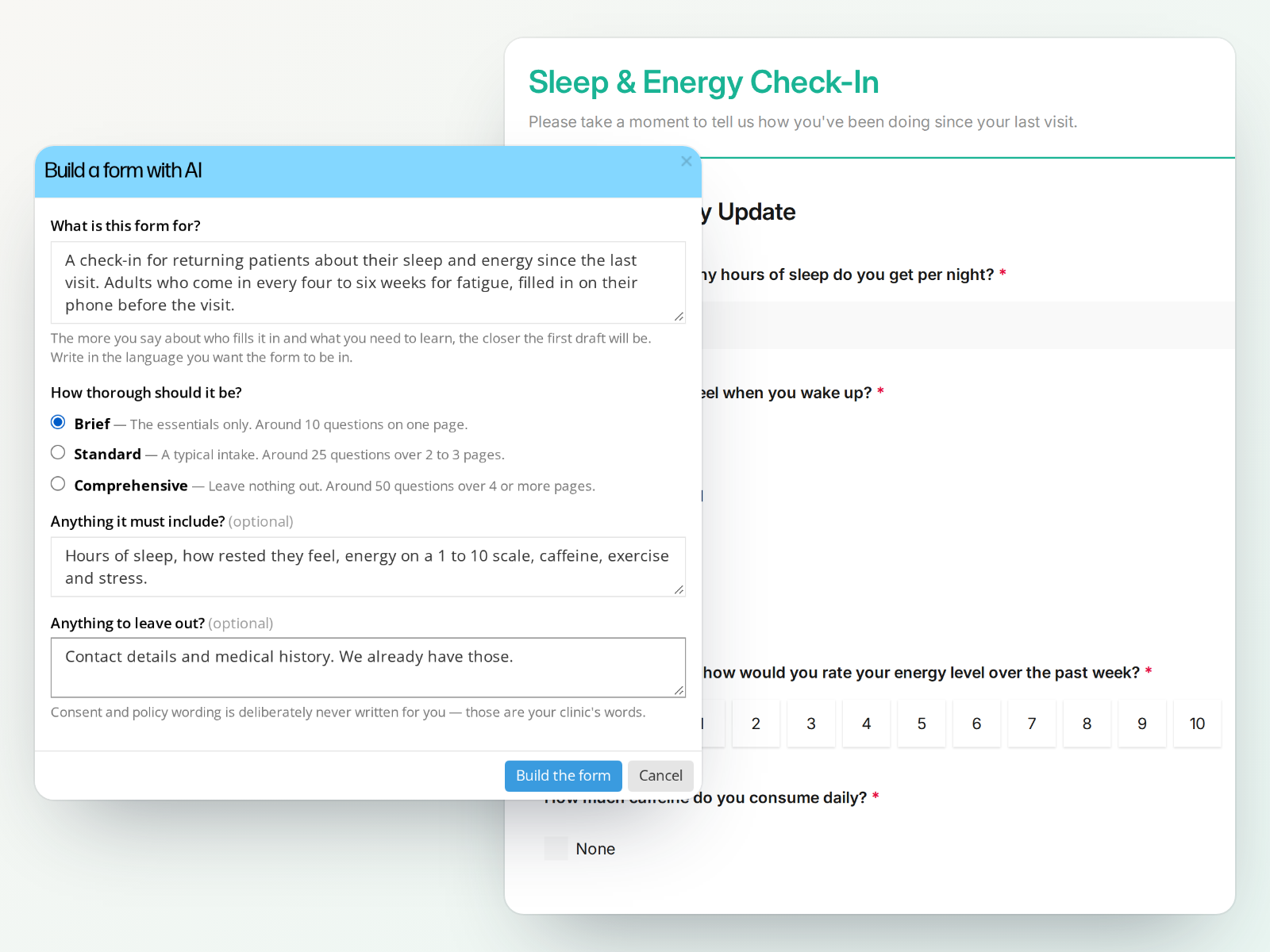
Say what the form is for and how detailed it should be, and you get a working form you can edit.

  • Say what the form is for and who it is for
  • Say how thorough it should be and roughly how many questions
  • List anything you always ask, and we work it in
  • You get a working form back, and you can edit every word of it
Book a demo
The Build a form with AI dialog filled in, in front of the Sleep and Energy Check-In form it produced
Paper to online

Already have the form? Upload it.

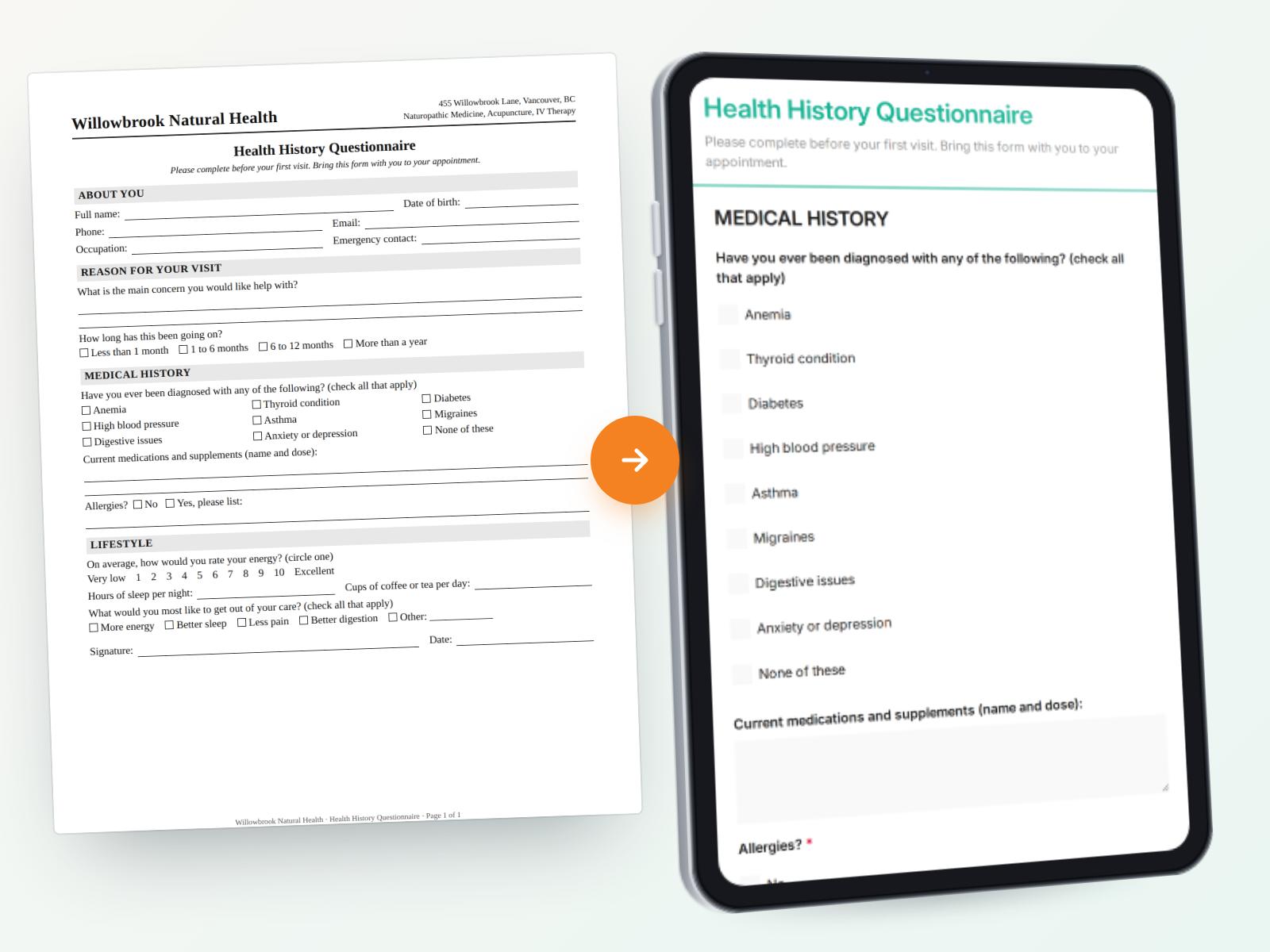
Most clinics already have an intake form they trust, usually a PDF that has been through several rounds of wording. You should not have to rebuild it by hand to get it online.

  • Upload the PDF or a scan of the paper original
  • Question wording and question order are kept as they are
  • Question types are matched, from yes or no through to checklists and signatures
  • Forms in French come back in French
  • Edit anything before you publish it
Book a demo
A paper health history form beside the online form OutSmart made from it, with the same questions
In clinic

Scan the code. Hand over the tablet.

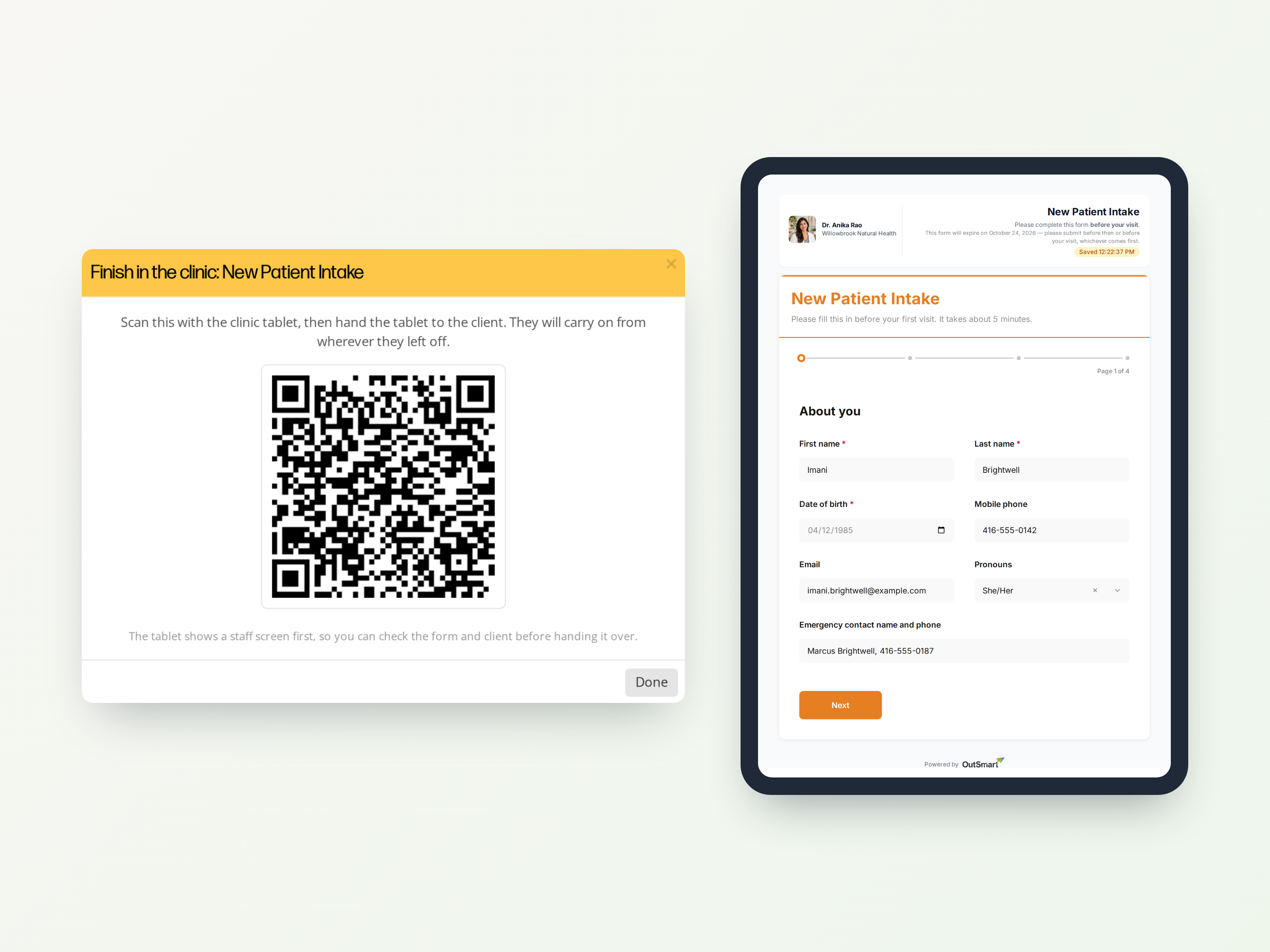
Not every form gets filled in at home. Somebody walks in without having done it, a consent needs signing before you start, or a patient got halfway through on their phone and stopped. Every form has a QR code for exactly that.

  • Scan the code onto any tablet and the form opens on it, ready to hand over
  • No email address needed, which is the whole point for a walk-in
  • A half-finished form opens where they left off, rather than starting again
  • Good for consents you want signed before treatment starts
  • The code is live for minutes, and the patient gets two hours to finish once the tablet is handed over
  • Your front desk computer stays free while they fill it in
Book a demo
The Finish in the clinic QR code on the staff screen beside the same intake form open on a tablet

More about forms

Answers become data

What a patient enters is stored as structured answers, so you can report on it later instead of rereading a hundred PDFs.

Forms before booking

Attach a form to a booking so it is done before the appointment, and the practitioner walks in already knowing the history.

Finish it later, or finish it here

Progress is saved as they go. A form started at home can be finished on a clinic tablet, from where they stopped.

Demographics without typing

Let a client enter and correct their own contact details on a clinic device with a QR code, and keep an audit of exactly what changed.

Signatures and consent

Signature fields, consent blocks and instruction text, so a consent form is a real consent form rather than a checkbox.

Conditional questions

Follow up questions appear only when they are relevant, so a long form stays short for the people it does not apply to.

Guidance in the form

Add explanatory text where patients get stuck, so your front desk answers the same question once instead of every week.

See how OutSmart would work in your clinic.

Book a demo and we will walk you through the parts that matter most to you.